IVR Usage Follow

All technicians are required to check in and out when servicing a location. Your primary tool to use for this function is the fsElite Connect Mobile App. If you are unable to utilize the mobile app, the IVR will be used as an alternate check in/check out option.
On each work order dispatch email you will find the details needed to use the IVR system. You are also able to access by clicking on the printer icon for each individual work order.
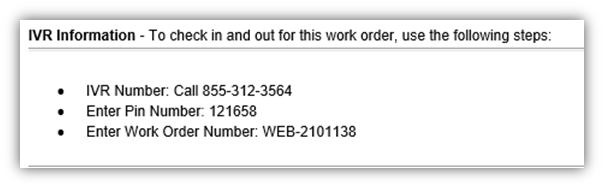
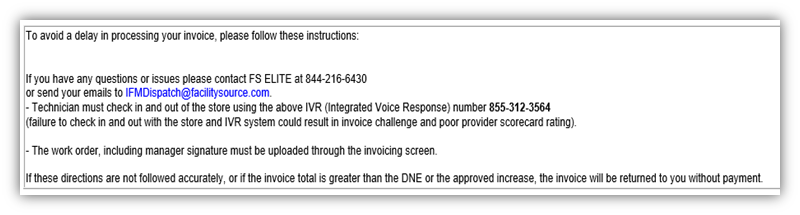
- IVR Number listed for that specific request
- IVR PIN number for that specific request
- The Work Order number to be utilized with the IVR for that specific request

Service Provider further warrants that all materials, equipment and labor supplied to CBRE is and shall be free from errors, faults and defects in workmanship, construction, structural and functional design, material and operations and in conformance with the requirements of this Agreement and the applicable Work Order for a period of twelve (12) months following the completion of the Services to CBRE’s satisfaction; provided, that if any longer warranty period is specified for any materials, equipment or workmanship under any plans or specifications, this Agreement, a Work Order or any manufacturer’s warranty, the longer warranty period shall govern. Service Provider shall ensure that all materials and equipment that have a manufacturer’s warranty are registered with the manufacturer in Client’s name.
Comments
0 comments
Please sign in to leave a comment.